Integration Testing in React Using Jest and React Testing Library
When a React project grows, components stop living alone. They share data through props, context, routing, and API calls. That’s exactly when we start seeing those “works on my machine” bugs after deployment.
The problem is usually not a single component.
The problem is how components work together.
That is what integration testing is made for — testing how multiple pieces of your UI behave as a system.
In this blog, you’ll learn:
what integration testing is (in simple language)
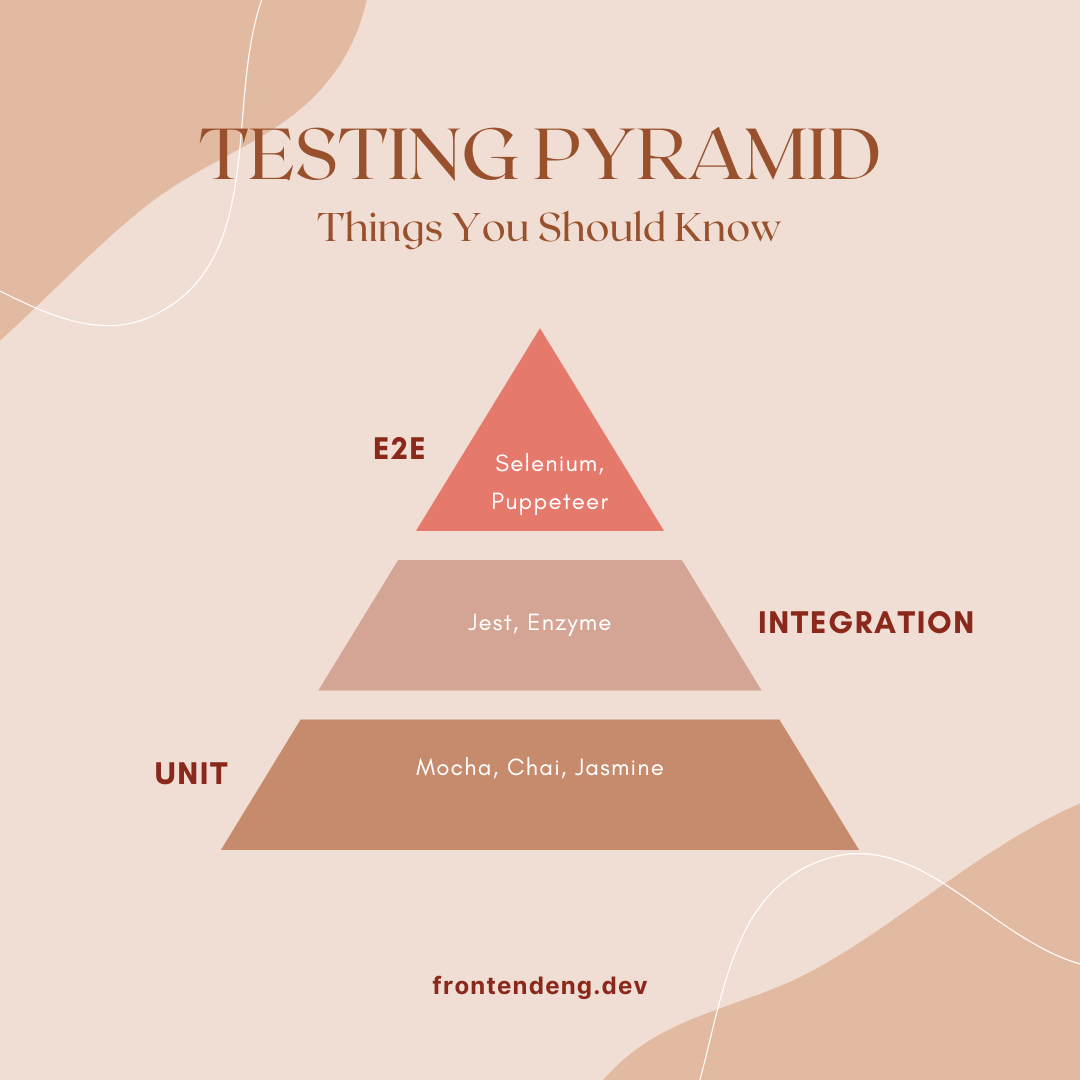
how it differs from unit and E2E testing
how to set up Jest and React Testing Library
how to write integration tests with examples
What exactly is integration testing?
There are three common testing types in frontend:
| Type | What it tests | Example |
| Unit test | one function or component | Button component |
| Integration test | multiple components together | Form + Input + API |
| End-to-end test | full user journey in browser | Login flow using Cypress |
So:
unit test checks the button
integration test checks clicking it updates the page
E2E test checks real browser behavior
Integration testing focuses on behavior, not code internals.
For example:
When user types email and password, does UI respond?
Does clicking “Add to Cart” update navbar cart count?
When API returns data, is profile rendered correctly?
This mirrors real user interactions, making integration tests incredibly powerful.
Setting up Jest and React Testing Library
Most React setups already include Jest.
Install React Testing Library:
npm install --save-dev @testing-library/react @testing-library/jest-dom
Install user-event (for realistic user typing and clicking):
npm install --save-dev @testing-library/user-event
Add setup file:
// src/setupTests.js
import '@testing-library/jest-dom';
That’s it — setup done.
Example 1 — Integration test for a login form
Imagine a login form with:
email input
password input
login button
success message after login
Here’s an integration test:
import { render, screen } from '@testing-library/react';
import userEvent from '@testing-library/user-event';
import LoginForm from './LoginForm';

test('allows user to log in successfully', async () => {
  render(<LoginForm />);

  await userEvent.type(screen.getByLabelText(/email/i), 'test@example.com');
  await userEvent.type(screen.getByLabelText(/password/i), 'password123');

  await userEvent.click(screen.getByRole('button', { name: /login/i }));

  expect(await screen.findByText(/welcome/i)).toBeInTheDocument();
});
What is being tested here?
This single test covers:
interaction between multiple components
form validation + submission
state changes
final UI text
That’s integration testing.
Example 2 — Testing React Router navigation
We simulate routing using MemoryRouter.
import { render, screen } from '@testing-library/react';
import { MemoryRouter } from 'react-router-dom';
import userEvent from '@testing-library/user-event';
import App from './App';

test('navigates to About page', async () => {
  render(
    <MemoryRouter initialEntries={['/']}>
      <App />
    </MemoryRouter>
  );

  await userEvent.click(screen.getByText(/about/i));

  expect(await screen.findByRole('heading', { name: /about page/i }))
    .toBeInTheDocument();
});
This test confirms:
link click works
router switches route
correct component renders
Example 3 — Integration testing with API calls
Instead of calling real APIs, we mock fetch.
global.fetch = jest.fn(() =>
  Promise.resolve({
    json: () => Promise.resolve({ name: 'John Doe' })
  })
);

import { render, screen } from '@testing-library/react';
import UserProfile from './UserProfile';

test('displays user name after API fetch', async () => {
  render(<UserProfile />);

  expect(await screen.findByText(/john doe/i)).toBeInTheDocument();
});
This test covers:
async fetch
state update
UI rendering response
Example 4 — Testing components using Context API
Integration testing is perfect for context.
Example:
render(
  <AuthProvider>
    <Dashboard />
  </AuthProvider>
);
Great use cases:
authentication status
theme switchers
shopping carts
dashboards
role-based UI
Example 5 — Unit Test vs Integration Test
Unit Test
Test only LoginForm component, mocking API call.
import { render, screen } from '@testing-library/react';
import userEvent from '@testing-library/user-event';
import LoginForm from './LoginForm';

jest.mock('./api', () => ({
  login: jest.fn(() => Promise.resolve({ success: true }))
}));

test('shows success message when API resolves', async () => {
  render(<LoginForm />);

  await userEvent.type(screen.getByLabelText(/email/i), 'test@example.com');
  await userEvent.type(screen.getByLabelText(/password/i), 'password');
  await userEvent.click(screen.getByRole('button', { name: /login/i }));

  expect(await screen.findByText(/welcome/i)).toBeInTheDocument();
});
Focus: LoginForm logic only.
Does not test routing or parent component updates.
Integration Test
Test LoginForm + App + Router + Context together.
import { render, screen } from '@testing-library/react';
import userEvent from '@testing-library/user-event';
import { MemoryRouter } from 'react-router-dom';
import App from './App';

test('user logs in and is redirected to dashboard', async () => {
  render(
    <MemoryRouter initialEntries={['/login']}>
      <App />
    </MemoryRouter>
  );

  await userEvent.type(screen.getByLabelText(/email/i), 'test@example.com');
  await userEvent.type(screen.getByLabelText(/password/i), 'password');
  await userEvent.click(screen.getByRole('button', { name: /login/i }));

  // final component rendered after routing
  expect(await screen.findByRole('heading', { name: /dashboard/i }))
    .toBeInTheDocument();
});
Focus: end-to-end behavior inside React app.
LoginForm component
Router redirects
Dashboard renders
Context/Auth works
💡 Best practices for integration testing
Do this:
✔ test behavior, not implementation details
✔ use queries like getByRole, getByText, getByLabelText
✔ simulate user interaction
✔ use findBy* for async actions
✔ write fewer, meaningful tests
Avoid:
✖ testing internal state variables
✖ querying DOM using class names
✖ snapshot-only testing
✖ mocking everything (kills integration value)
Conclusion
Integration testing is one of the best ways to reduce bugs that only appear:
after deployment
when components connect
when data flows across the app
Using:
Jest
React Testing Library
you can simulate real user behavior instead of just testing isolated components.
If your React app is growing, integration tests are not a luxury anymore—they’re a necessity.